
Attendance Salary Tracker Excel Template for Small Businesses
Original price was: ₹99.00.₹49.00Current price is: ₹49.00.
Download a ready-to-use Attendance Salary Tracker Excel Template for small businesses. Track attendance, paid leave, unpaid leave, deductions, overtime, net salary payable, payment date, and salary status in one professional payroll format.
Description
What is this template?
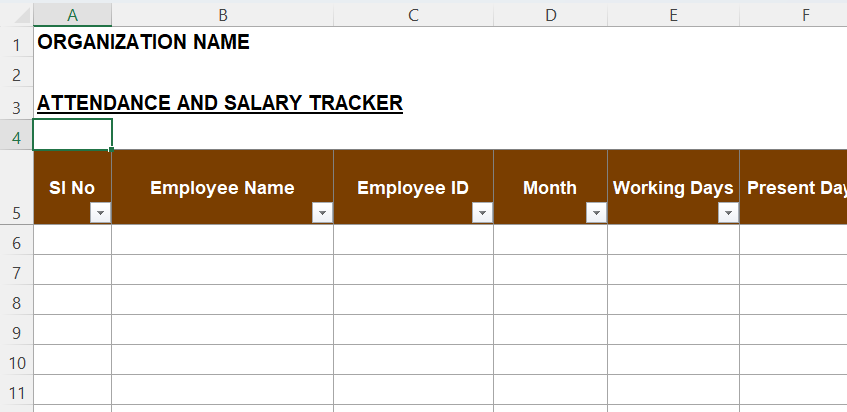
The above image is only a preview. This Attendance Salary Tracker Excel Template helps small businesses manage monthly salary workings with clarity. It connects attendance, leave, overtime, deductions, payment date, and salary status in one file. Therefore, business owners can review payroll before releasing salaries. Also, HR and accounts teams can maintain a structured salary calculation record every month.
This template includes a usage information sheet, a blank tracker, a sample filled sheet, dropdown values, and formula guidance. Therefore, users can understand the file before entering real employee data. Further, the format helps reduce manual calculation errors. It gives a practical payroll working sheet for small teams that need simple control.
The tracker captures employee name, employee ID, month, working days, present days, paid leave, unpaid leave, monthly salary, overtime amount, payment date, and remarks. It also calculates per-day salary, leave-without-pay deduction, and net salary payable. Therefore, the final amount becomes easier to review. Also, salary status can be tracked through dropdown options.
Who can use this template?
Small business owners can use this template when they manage payroll directly. HR executives can use it for attendance-linked salary calculation. Accountants can use it before preparing salary payment entries. Also, payroll assistants can use it to maintain monthly salary support records.
This template is suitable for shops, agencies, schools, clinics, consulting firms, small factories, startups, service providers, and MSMEs. Moreover, companies with monthly salary processing can use it as a simple employee salary register. It does not replace statutory payroll software. However, it supports clean internal salary working before approval.
Consultants can also recommend this format to clients who need a basic payroll tracker. Further, admin teams can use it when employee attendance affects monthly salary payout. Because the file includes both blank and sample sheets, new users can start quickly. Also, the formula explanation sheet helps users avoid accidental editing of formula columns.
Why is this template useful?
A generic spreadsheet may only record attendance. However, this Excel salary tracker links attendance with salary calculation. It considers paid leave, unpaid leave, deduction, overtime, and net payable salary. Therefore, it gives a clearer payroll picture than a simple attendance sheet.
The template also supports payment tracking through salary status and payment date fields. So, users can identify paid, pending, approved, or on-hold salary records. This is useful during month-end review. Also, it creates better accountability between HR, admin, and accounts.
The file helps users save time because the structure already exists. Therefore, they do not need to build formulas from scratch. Further, the sample sheet gives realistic examples for easy understanding. The dropdown value sheet also helps maintain consistent entries.
This downloadable Excel payroll template suits businesses that need an attendance salary calculator, monthly payroll tracker, employee salary register, leave deduction tracker, and overtime salary tracker. It adds value because it is practical, editable, and easy to use. Finally, it supports better salary control without making the process complicated.


